SwiftBraille download for android 12.1 (Snow Cone v2)
APK file SwiftBraille 2.0.5 compatible with Android 12.1How to install APK / APKS / OBB file on Android

★ What is ★
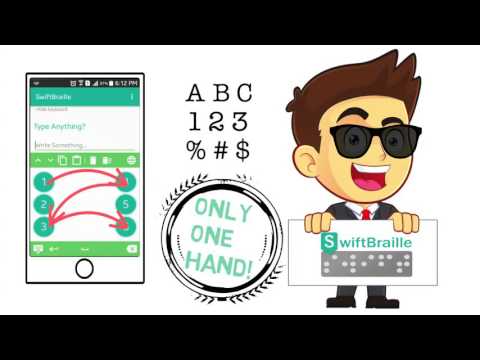
Swift Braille is a soft keyboard customized for blind and visually impaired to let them type using Braille language in Android smart devices with touch screen, by connecting Braille dots together using at least one finger to connect or tap over Braille dots!
Developed by Mohammad M. AlBanna
Part of MBanna.info projects
★ Features ★
- The soft keyboard supports many languages supported by blind themselves, in the user interface and Braille language as well! See supported languages:
http://en.swiftbraille.com/blog/supported-languages/
- The user can select among three layouts of Braille dots, and can use his two fingers like normal ways, if he likes to!
- The user can activate voice input, as the user can type using the keyboard using his voice.
- High customized: the user can set a height or width for the keyboard, change the radius of the Braille dots, change the color of the Braille dots, other settings for blind or visually impaired users based on their needs.
- Speech each written letter, character or symbols that the user enters, and the user is able to delete the character, word, or even the whole text via gestures or the operations bars buttons.
- The user can use this keyboard in portrait of landscape mode, as the six Braille dots are located on the left and right of the screen, like the Braille cell.
- Compatible with screen readers, like TalkBack as an example.
★ Official Website ★
http://en.SwiftBraille.com
★ Blog ★
http://en.SwiftBraille.com/blog/
★ Special Thanks ★
- Fuad Al Ameer (Voice actor. Twitter: @yamifuad).
- Mohammad Elbehwashy (Voice actor).
- Jos Vásquez (Spanish translator).
- Abdelghani Zehroune (French translator).
- Alain Barrillier (French translator).
★ Support the project =) ★
http://en.swiftbraille.com/blog/support-project/
- LicenseFree
- File nameSwiftBraille
- File Version2.0.5
- Package namecom.mbanna.swiftbraille
- Size2.56 MB
- UploadedOctober 10, 2018
- Android4.1 or later
- CategoryProductivity
- DeveloperMohammad AlBanna
- Developer site
- Developer emailinfo@SwiftBraille.com
- md5 hashd9687a1bcdc38aeb404d4d5c998149eb
- Architecture-
- Permissionsshow (5)